After stumbling through this process once before, I decided to write up a simple guide for installing MySQL Workbench on Linux Mint 22.2. If nothing else, future me will thank me.
Article Contents
TL;DR
- Download image from mysql.com
- sudo dpkg -i mysql-workbench-community_8.0.44-1ubuntu24.04_amd64.deb
- sudo apt install libmysqlclient21
- sudo apt --fix-broken install
- Run first install command (dpkg -i...) again. It should install now.
Why MySQL Workbench
MySQL Workbench is an excellent tool for anyone working with MySQL databases, whether you're a beginner learning the ropes or a seasoned database administrator managing complex systems. Its unified visual interface brings together database design, development, and administration into one cohesive environment, eliminating the need to juggle multiple tools. The visual schema designer makes it easy to create and modify database structures through intuitive drag-and-drop functionality, while the SQL editor provides helpful features like syntax highlighting, auto-completion, and query formatting that speed up development work.
What really sets MySQL Workbench apart is how it simplifies tasks that would otherwise require extensive command-line knowledge. You can manage user privileges, configure server settings, monitor performance, and run backups all through a clean graphical interface. The ability to reverse-engineer existing databases into visual models is particularly valuable for understanding legacy systems or documenting your architecture. It's free, cross-platform, and officially maintained by Oracle, which means you get reliable updates and solid compatibility with the latest MySQL features.
Download
First, we need to download the file from mysql.com.
 Download
At the bottom of the page, you will find a link to MySQL Workbench.
Next, you will have to select the OS and version in order to download the correct file. At the time of writing, MySQL Workbench is available in version 8.0.44 so that will be the one that I download.
 "noble" = Ubuntu 24
If you are unsure of what OS and version you are using, you can open up a terminal and run the command more /etc/os-release where you will get the actual name of the Ubuntu codename. In this case it is "noble" and from that you can figure out what Ubuntu version you are running - in this case it is Ubuntu 24.04.3 (Noble Numbat). Confusing? Yeah - a little bit, but that is what we are working with here...
Press the download button, then the link "No thanks, just start my download" and we are on our way. After a short while, the file will be available in the Downloads folder.
Install
This should be an easy one - just run the dpkg command.
$ cd ~/Downloads/
$ sudo dpkg -i mysql-workbench-community_8.0.44-1ubuntu24.04_amd64.deb
However - this will fail and we will receive this error message:
dpkg: dependency problems prevent configuration of mysql-workbench-community:

 mysql-workbench-community depends on libmysqlclient21 (>= 8.0.11); however:

  Package libmysqlclient21 is not installed.

 mysql-workbench-community depends on libodbc2 (>= 2.3.1); however:

  Package libodbc2 is not installed.

 mysql-workbench-community depends on libproj25 (>= 9.4.0); however:

  Package libproj25 is not installed.
In order to fix this error, run the following command to install the missing dependency.
$ sudo apt install libmysqlclient21This works, but we are prompted to do more stuff:
E: Unmet dependencies. Try 'apt --fix-broken install' with no packages (or specify a solution).
Lets just follow the suggestion and run the following command (and press y when prompted).
$ sudo apt --fix-broken installAfter that small detour, lets circle back to the initial install command again - it should work just fine now.
$ sudo dpkg -i mysql-workbench-community_8.0.44-1ubuntu24.04_amd64.deb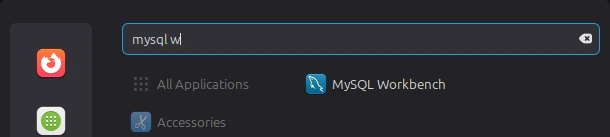 Menu
Menu
That's it! You should find the program in the menu now. It will complain about running on an unsupported operating system, but we can just hide that popup and never think about that again.
If you need help to connect to the database after installing, you might find some useful commands here to create users and handle permissions.